
Introduction
The rapid rise of TikTok has not only transformed how users engage with content but has also ignited critical conversations about privacy and visibility. With millions of users flocking to the platform, understanding its privacy settings is essential for anyone looking to navigate this vibrant social landscape while keeping their personal information secure.
But here’s a pressing question: can someone see if you viewed their TikTok?
This article dives deep into the intricacies of TikTok's privacy features, offering valuable insights on managing view settings and enhancing account security. We’ll explore the delicate balance between engagement and anonymity, ensuring you’re equipped to make informed decisions in this dynamic environment.
Explore TikTok's Privacy Settings: Who Can See Your Views?
The platform provides individuals with crucial privacy controls to manage who can view their activity. By default, the view history feature for accounts is disabled, which means users cannot determine if someone can see that they viewed their TikTok, nor can others see if they have checked theirs. To adjust these settings, follow these steps:
- Open the TikTok app and tap on your account icon.
- Tap the three-line menu in the top right corner.
- Choose 'Settings and confidentiality' and then tap 'Confidentiality'.
- Here, you can toggle the 'Profile views' option to enable or disable it. When activated, you can see who has viewed your profile, but it also raises the question of whether someone can see that you viewed their TikTok, which is only possible if they have enabled this feature.
As of 2026, a significant number of individuals have begun engaging with these privacy features, reflecting a growing awareness of digital privacy. Recent data indicates that the application ranks as the fifth-most-popular social network worldwide, boasting 1.990 billion accounts, which underscores the platform's extensive reach. Understanding these configurations is essential for individuals who wish to explore the platform while maintaining control over their visibility. This awareness is particularly important as the platform continues to evolve, with over 1 billion active users interacting with it daily. Industry experts emphasize that respecting privacy can provide a competitive edge for the platform, as users become increasingly conscious of their data usage.

Manage Your Profile View History: Enabling and Disabling Features
Managing your profile view history on TikTok is straightforward and essential for maintaining your privacy. To do so, follow these steps:
- Open the TikTok app and navigate to your account.
- Tap the three-line menu in the upper right corner.
- Select 'Settings and privacy', then proceed to 'Privacy'.
- Locate the 'Profile views' option and toggle it on or off according to your preference.
Disabling profile view history means you won’t see who has viewed your profile, and it raises the question: can someone see you viewed their TikTok? This feature is particularly beneficial for users who want to explore content without leaving a trace. It’s crucial to understand that when you enable this feature, you will only see viewers who have also activated it, which raises the question: can someone see you viewed their TikTok, ensuring a mutual visibility experience.
As of January 2026, approximately 60% of users on the platform have opted to turn off this feature, reflecting a strong inclination towards privacy in their interactions. User experiences suggest that toggling this setting can significantly enhance browsing comfort, especially for creators who prefer to remain discreet. According to social media analyst Brandy Shaul, "Privacy elements such as profile view history are crucial for individuals seeking to manage their visibility on platforms like TikTok."
Are you ready to take control of your TikTok experience? Adjust your profile view settings today and enjoy a more private browsing experience.

Understand Interaction Visibility: Can Users See Who Viewed Their Content?
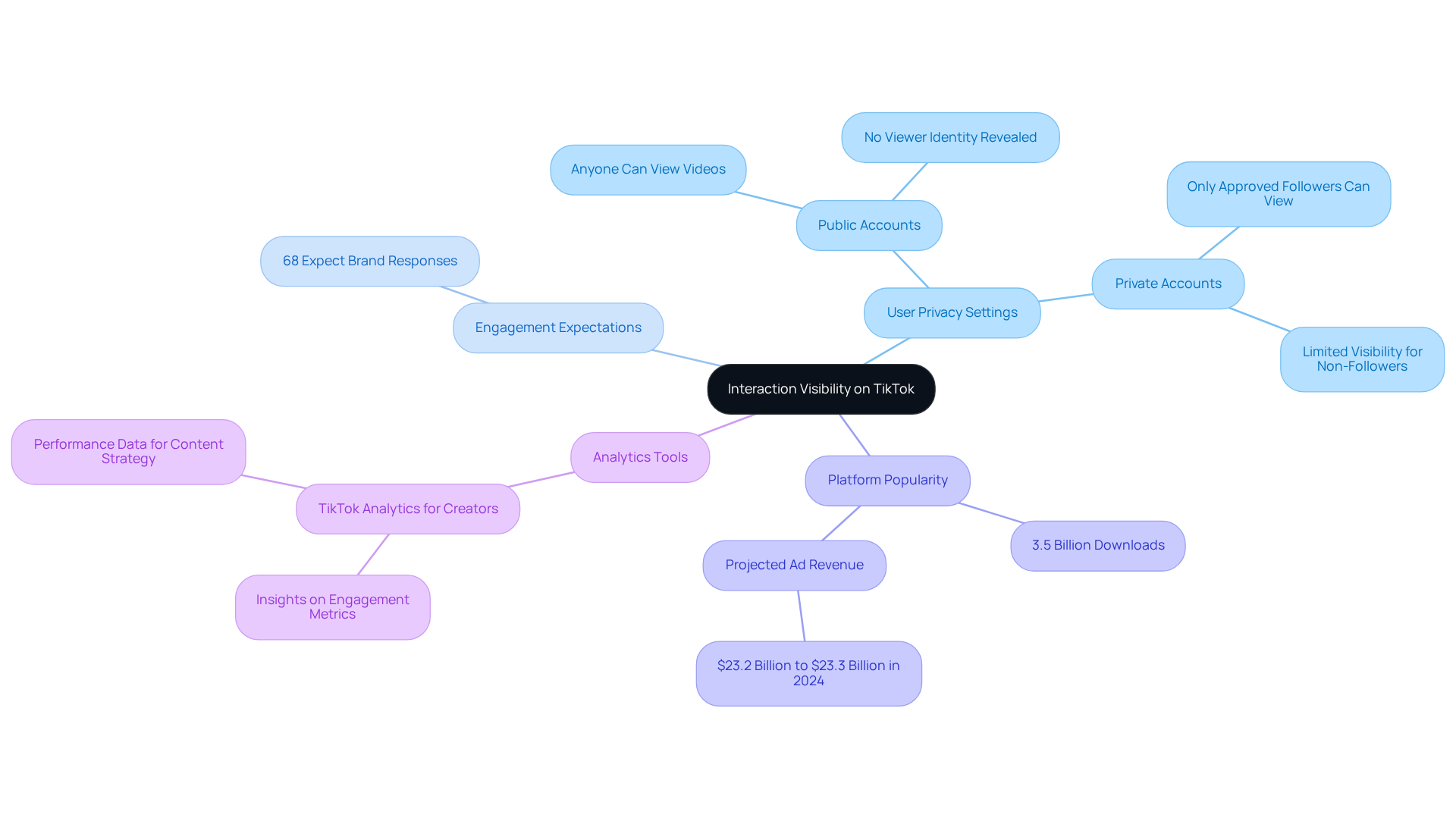
On this platform, the question remains: can someone see you viewed their TikTok videos? Instead, the platform provides only aggregate view counts, showing how many times a video has been watched without revealing the identities of those viewers. This design choice cultivates a more open environment for interaction. Here’s how it operates:
- If your account is public, anyone can view your videos, but you won’t know who they are.
- If your account is private, only approved followers can access your content, and it raises the question, can someone see you viewed their TikTok?
This lack of visibility encourages users to engage without the pressure of being monitored, fostering a more authentic interaction experience. Notably, 68% of platform participants expect brands to respond to comments, underscoring the importance of engagement in this anonymous setting. Furthermore, the platform's privacy measures are crucial for ensuring a secure community, especially for younger audiences. As a result, users can browse and interact freely, enhancing overall engagement on the platform.
In addition, the platform has surpassed 3.5 billion total downloads, highlighting its popularity, and is projected to generate ad revenue between $23.2 billion and $23.3 billion in 2024. Creators can leverage the platform's analytics tools to gain deeper insights into audience engagement, which is vital for refining content strategies.
Enhance Your Privacy: Tips for Securing Your TikTok Account
To enhance your privacy on TikTok, consider these essential strategies:
-
Set Your Account to Private: Limiting your content visibility is crucial. By setting your account to private, only those you approve as followers can see your posts. Navigate to 'Settings and privacy', then 'Privacy', and toggle on 'Private account'. This simple step can significantly reduce unwanted attention.
-
Manage Direct Messages: Who can send you messages? You have the power to control this. Adjust your settings under 'Privacy' > 'Direct Messages' to choose from 'Everyone', 'Friends', or 'No one'. This ensures that only those you trust can reach out to you.
-
Limit Profile Visibility: Protect your profile from unwanted exposure. Disable the 'Suggest your account to others' setting to prevent TikTok from recommending your profile to strangers. This small adjustment can enhance your privacy considerably.
-
Enable Two-Factor Authentication: Security is paramount. By enabling two-factor authentication, you add an extra layer of protection to your account, making it much harder for unauthorized users to gain access. This is a critical step in safeguarding your personal information.
-
Regularly Review Your Followers: Stay vigilant. Periodically check your followers and remove any accounts that seem suspicious or unwanted. This proactive approach helps maintain a secure environment on your profile.
By implementing these strategies, you can significantly enhance your privacy and security on TikTok. Take control of your online presence and enjoy a more secure and enjoyable experience.

Conclusion
Understanding TikTok's privacy settings is crucial for users who want to navigate the platform while keeping control over their visibility. The default settings are designed to protect users from being tracked by others, ensuring that profile view histories remain private unless shared intentionally. This empowers individuals to engage with content freely, without the pressure of being monitored.
Key insights reveal the significance of adjusting privacy settings, such as managing profile view history and limiting who can send direct messages. With a notable portion of users opting for enhanced privacy, awareness of these features is clearly on the rise. Furthermore, the role of privacy in fostering a secure community, particularly for younger audiences, cannot be overstated. Practical tips for safeguarding personal information are also provided, enhancing user confidence.
In a digital landscape where privacy concerns are increasingly prominent, taking proactive steps to secure TikTok accounts is vital. By implementing strategies like setting accounts to private and enabling two-factor authentication, users can enjoy a more secure and enjoyable experience on the platform. Embracing these privacy settings not only enhances personal security but also enriches the overall TikTok experience, allowing for authentic interactions without compromising one's digital footprint. So, why wait? Take control of your privacy today!
Frequently Asked Questions
What privacy controls does TikTok provide regarding view history?
TikTok offers privacy controls that allow users to manage who can view their activity. By default, the view history feature is disabled, meaning users cannot see if others viewed their TikTok, nor can others see if they viewed theirs.
How can I adjust my privacy settings on TikTok?
To adjust your privacy settings, open the TikTok app, tap on your account icon, then tap the three-line menu in the top right corner. Choose 'Settings and confidentiality' and then tap 'Confidentiality'. Here, you can toggle the 'Profile views' option to enable or disable it.
What happens when I enable the 'Profile views' option?
When you enable the 'Profile views' option, you can see who has viewed your profile. However, this also means that if others have enabled this feature, they can see that you viewed their TikTok.
How many accounts does TikTok have as of 2026?
As of 2026, TikTok has approximately 1.990 billion accounts, making it the fifth-most-popular social network worldwide.
Why is understanding TikTok's privacy settings important?
Understanding TikTok's privacy settings is essential for users who want to explore the platform while maintaining control over their visibility and privacy, especially as user awareness of digital privacy continues to grow.
How many active users does TikTok have daily?
TikTok has over 1 billion active users interacting with the platform daily.
What is the significance of respecting privacy on TikTok?
Respecting privacy is seen as providing a competitive edge for TikTok, as users are becoming increasingly conscious of their data usage.