
Introduction
Mastering the art of advertising audits can truly revolutionize how marketers refine their strategies and optimize campaign performance. Google Search Operators are not just tools; they are powerful assets that enhance search precision, allowing users to uncover valuable insights and streamline their research processes. Yet, many marketers find themselves struggling to fully leverage these operators, often overlooking critical data that could significantly inform their advertising decisions.
What if there was a way to transform vague search queries into targeted results that unveil the secrets behind successful advertising campaigns? This potential transformation is within reach, and understanding how to harness these tools can lead to remarkable outcomes.
Understand Google Search Operators
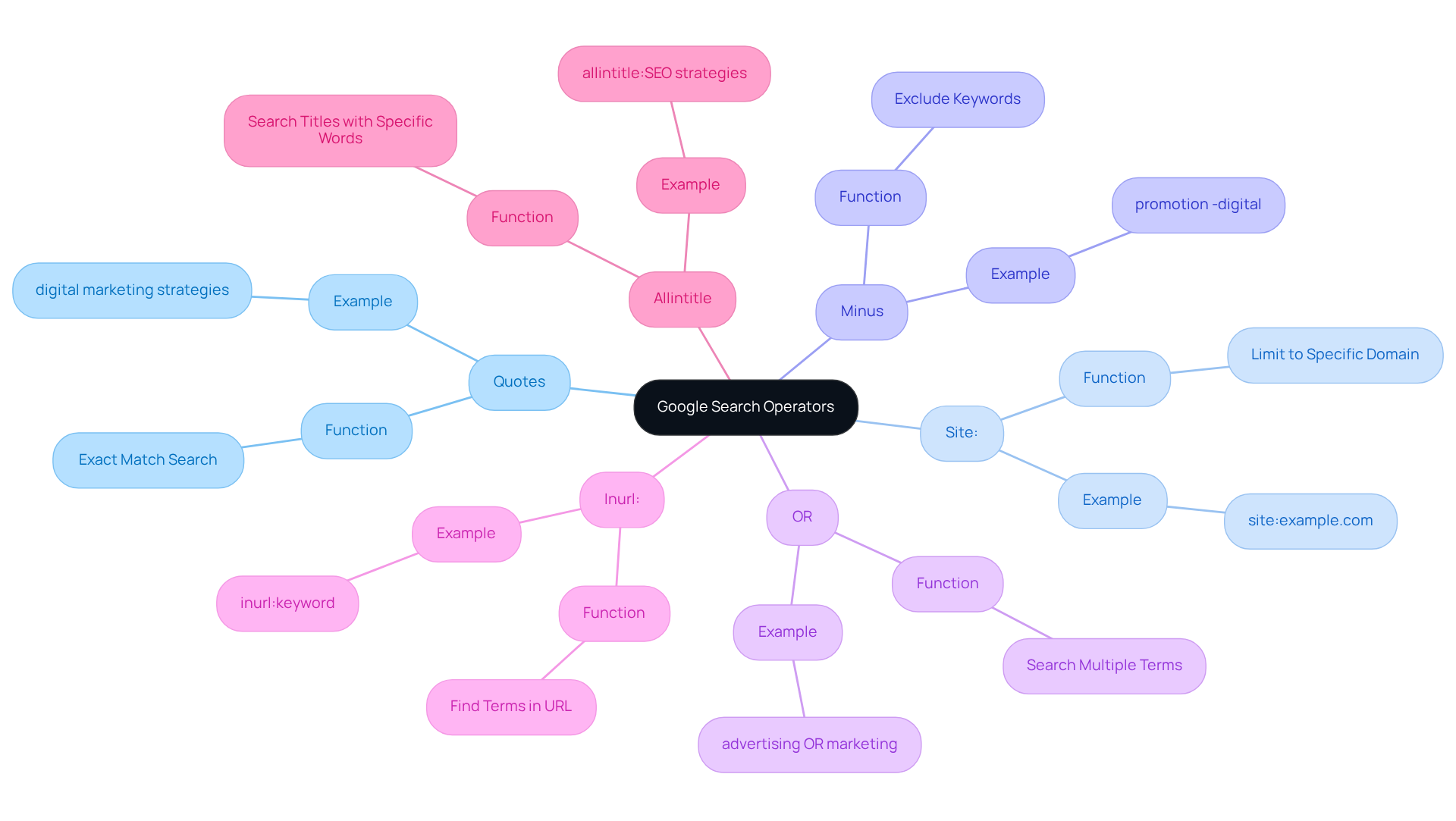
are specialized commands that significantly enhance your queries, allowing you to obtain more precise and relevant results. These tools are invaluable for , pinpointing specific content, and . Mastering these essential operators can transform your search experience:
- Quotes (“ ”): Enclose phrases in quotes to . For instance, searching "" yields results containing this precise phrase, ensuring you find targeted content.
- Site:: This function limits your inquiry to a particular website. For example, using
site:example.comdisplays results exclusively from that domain, making it easier to analyze competitor content or gather insights from authoritative sources. - Minus (-): Use this symbol to omit specific keywords from your results. For instance,
promotion -digitalyields results connected to promotion while excluding any reference to digital, facilitating a more targeted investigation. - OR: This function allows you to look for several terms simultaneously. For example,
advertising OR marketingproduces results that include either term, effectively broadening your inquiry scope. - Inurl:: This function assists in locating pages with particular terms in the URL, which is beneficial for refining results to pertinent content.
- Allintitle:: This function enables you to search for titles featuring various specific words, improving your capacity to locate targeted content.
By mastering these functions, you can significantly enhance the effectiveness and precision of your inquiries during an , leading to more informed decision-making and strategic insights. Furthermore, it's crucial to observe modifications in Google inquiry functionality to adjust your strategies effectively. As Jon Clark, a digital marketing specialist, states, "With search queries, you can discover content and link building opportunities, as well as identify such as .
Identify Key Google Search Operators for Auditing
To conduct a thorough , consider leveraging powerful that can transform your research process:
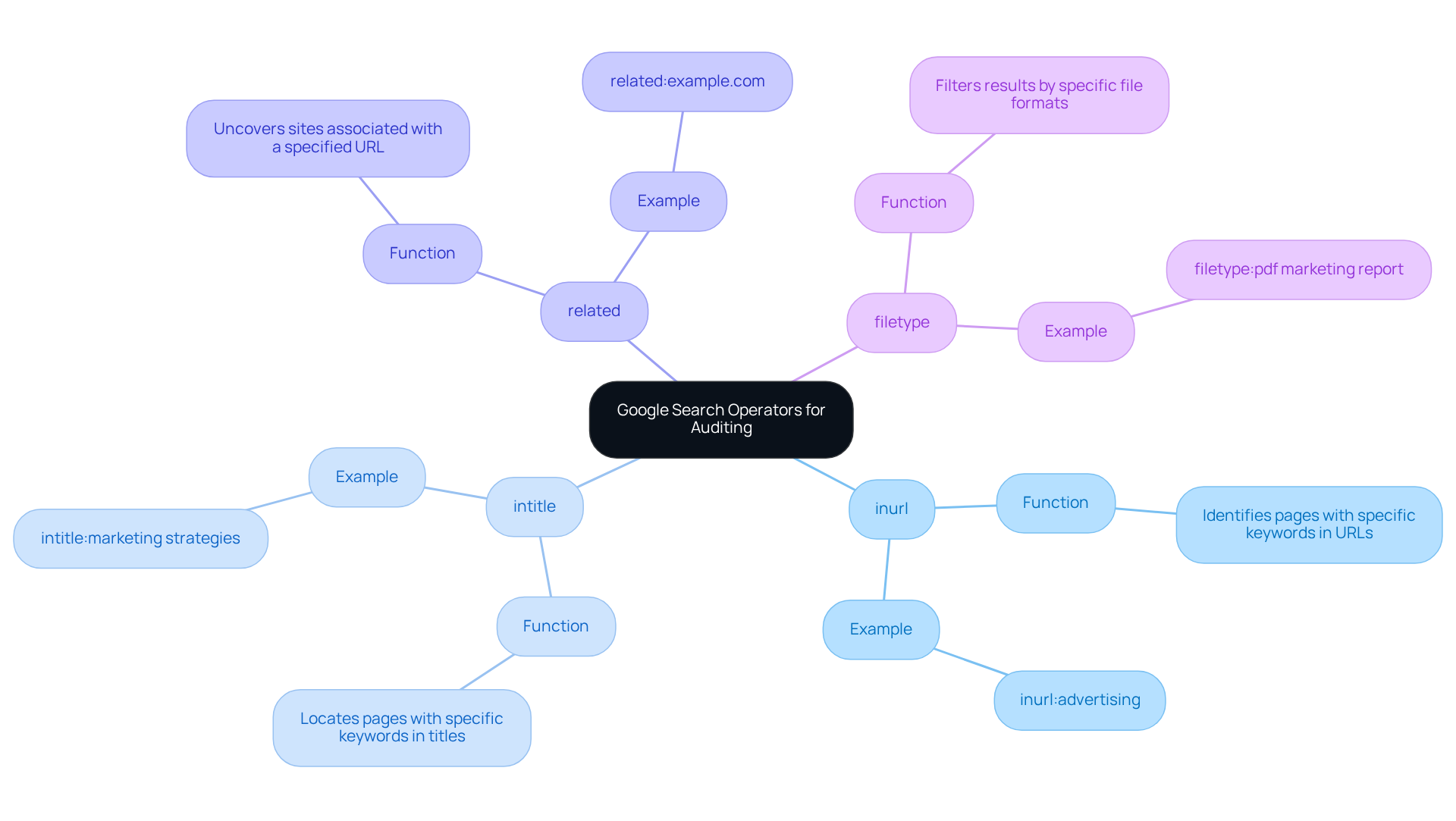
- inurl: This operator identifies in their URLs. For instance, using
inurl:advertisingreveals pages with 'advertising' in their URLs, providing valuable insights into competitor strategies and content organization. As David Victor notes, "." - intitle: This operator helps locate pages with specific keywords in their titles. For example,
marketing strategiesreturns pages that feature 'marketing strategies' in their titles, allowing for a focused analysis of how competitors frame their messaging. Marketing professionals emphasize that mastering these commands can significantly enhance search efficiency. - related: This function uncovers sites associated with a specified URL. For example,
related:example.comdisplays websites similar to the one specified, facilitating competitor research and identifying potential collaboration opportunities. - filetype: This function filters results by specific file formats. For example,
filetype:pdf marketing reportretrieves PDF documents pertinent to marketing reports, which can be essential in collecting industry insights and benchmarking.
Mastering these functions can greatly simplify your inquiry process, allowing you to collect pertinent information effectively and improve your marketing strategies. Notably, the inurl and intitle operators have proven effective in , with studies showing that they can refine search results dramatically, reducing broad queries from 14,240,000,000 to 1,830,000 targeted results. Integrating these insights into your can lead to more informed decision-making and enhanced campaign performance.
Apply Google Search Operators to Gather Advertising Data
To effectively gather advertising data using Google Search Operators, follow these structured steps:
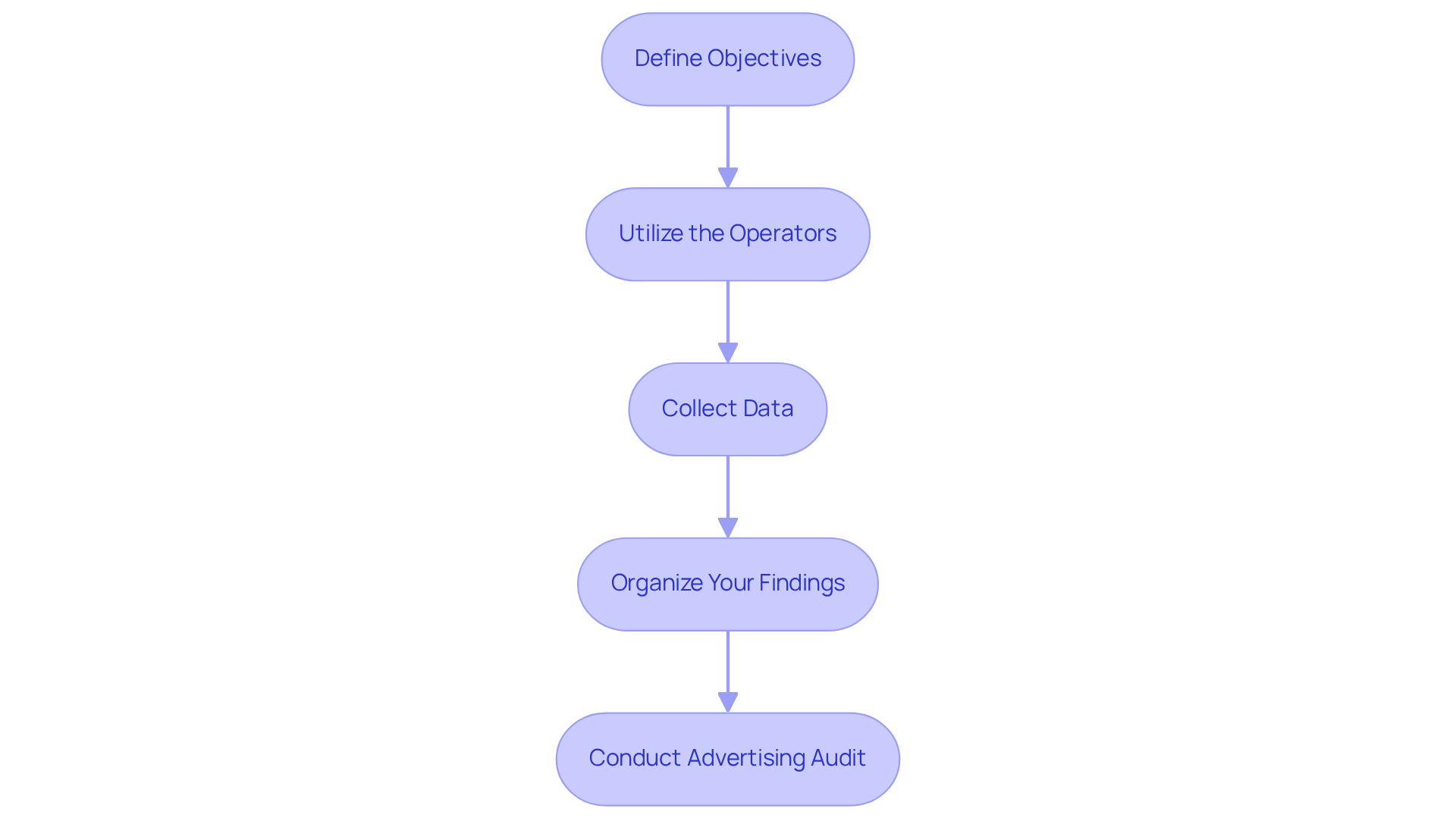
- Define your objectives by clearly outlining the specific data you need for your . Are you looking for , keyword performance, or content effectiveness? Setting clear goals will direct your exploration efforts.
- Utilize the Operators: Implement the identified Google Search Operators in your queries. For example, to reveal from rivals, you could use
site:competitor.com intitle:advertising techniques. This targeted approach helps filter results to those most relevant to your needs. - Collect Data: As you execute your searches, compile relevant results that align with your objectives. Record valuable insights, including or that distinguish themselves in your findings.
- Organize Your Findings: Create a structured document or spreadsheet to categorize the data you've gathered. This organization will facilitate easier analysis and help you draw actionable conclusions later.
By systematically applying these Google Search Operators, you can gather a wealth of information that will significantly improve your process. Considering that possesses an as of 2025, utilizing these operators is essential for optimizing the impact of your marketing strategies. Additionally, understanding that the can further emphasize the importance of conducting a thorough . Integrating insights from brand marketing managers can also offer valuable viewpoints on .
Analyze Collected Data for Insights
Once you’ve gathered your advertising data, the next step is to conduct an to analyze it for actionable insights. This process is crucial for optimizing your .
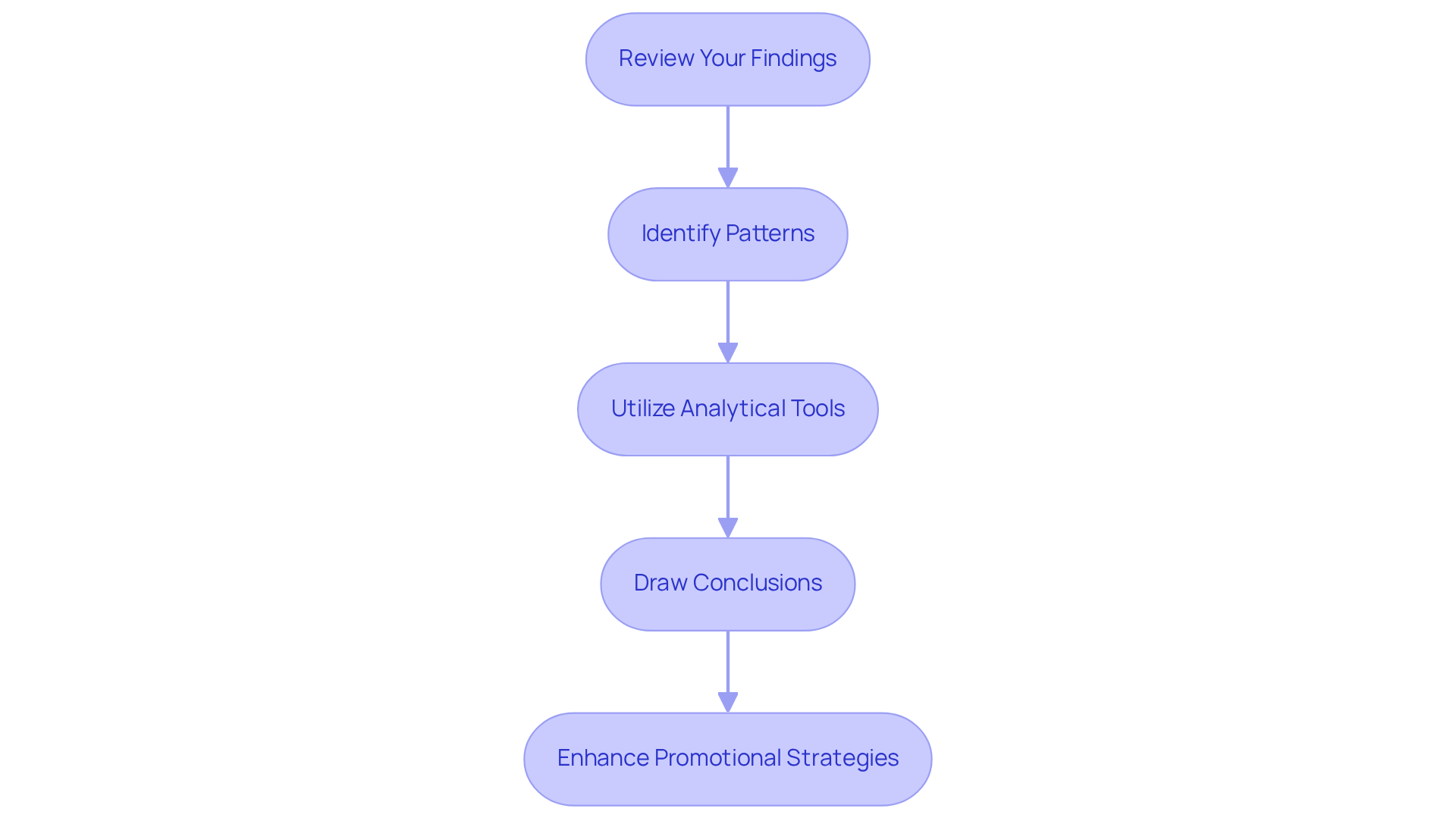
Review Your Findings: Start by examining the data collected. Highlight key points, such as and frequently used keywords by competitors. This initial sets the stage for deeper analysis and reveals what’s working in your campaigns.
Identify Patterns: Look for recurring trends within the data. Are there particular approaches that consistently yield superior outcomes? For instance, certain keywords may frequently appear in high-performing ads, indicating their effectiveness in capturing audience attention. As Joel Cox from Strategus notes, "Live sports streaming democratizes access, allowing smaller brands to deliver geo-specific or persona-targeted ads without large budgets." This underscores the importance of recognizing in an .
Utilize Analytical Tools: Employ tools like Google Analytics or Excel to visualize your data. Graphs and charts can reveal trends more clearly, making it easier to identify correlations and anomalies in your . According to McKinsey, companies that leverage advanced are 23 times more likely to acquire customers and 19 times more likely to be profitable. This statistic highlights the immense value of in an .
Draw Conclusions: Based on your analysis, formulate conclusions regarding which approaches are effective and which areas require improvement. This insight will guide your next steps in optimizing . For example, brands that have successfully implemented AI-driven personalization have seen significant improvements in engagement and conversion rates.
By conducting an and systematically examining your data, you can uncover valuable insights that will enhance your promotional strategies, ultimately leading to better campaign outcomes.
Implement Insights to Enhance Advertising Performance
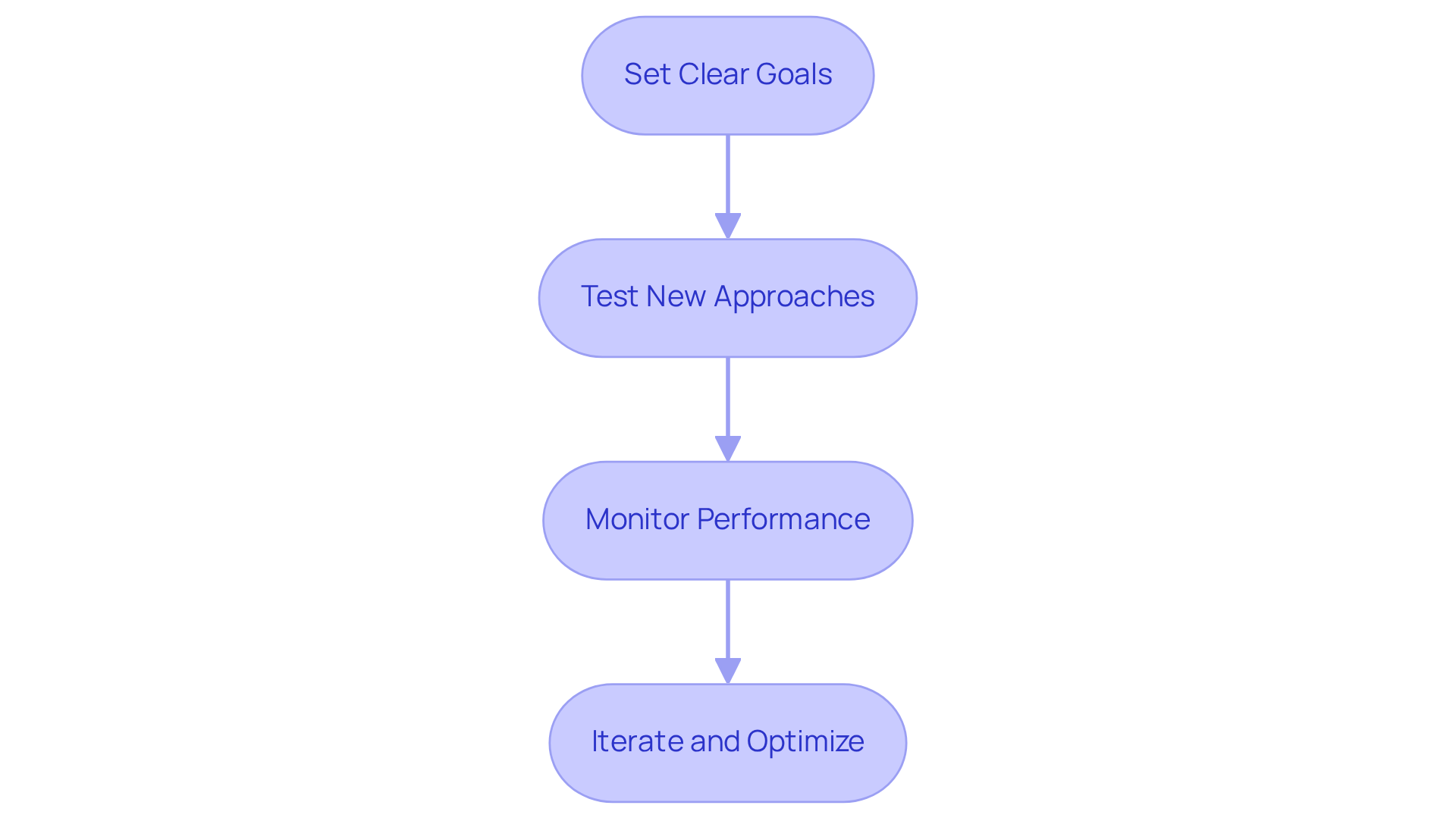
To elevate your advertising performance, harness insights from your by following these strategic steps:
- Set Clear Goals: Use your insights to define specific objectives for your campaigns. For example, if data shows that yield higher engagement, consider increasing your video ad budget by a targeted percentage.
- : Implement the successful methods identified during your analysis. If certain keywords or formats have proven effective, integrate them into your ad copy to maximize impact.
- : After making adjustments, diligently track your ads' performance using analytics tools. Focus on key metrics such as click-through rates (CTR) and conversion rates to gauge effectiveness.
- : Continuously enhance your approaches based on performance data. If a particular strategy is underperforming, be ready to pivot and explore alternative tactics.
By actively applying these insights and optimizing your campaigns, you can significantly enhance your . Notably, companies that experience . Additionally, , underscoring its effectiveness in driving engagement and conversions. As Wyzowl mentions, '90% report positive ROI from video marketing,' emphasizing the . Embrace these strategies to ensure your advertising audit reveals measurable results.
Conclusion
Mastering Google Search Operators is not just beneficial; it’s essential for conducting effective advertising audits. These specialized commands empower users to refine their search strategies and uncover valuable insights. By leveraging these tools, marketers can significantly enhance their data collection processes, analyze competitor strategies, and ultimately drive better advertising performance.
Throughout this article, we highlighted key Google Search Operators such as "inurl," "intitle," and "filetype" for their remarkable ability to streamline research efforts. These operators not only improve search precision but also facilitate a deeper understanding of competitor tactics and industry trends. Furthermore, we emphasized the importance of setting clear objectives and systematically analyzing gathered data as a means to derive actionable insights that can profoundly impact campaign success.
Incorporating these strategies into advertising practices is crucial for staying competitive in a rapidly evolving market. By actively utilizing Google Search Operators, marketers can transform their advertising audits into powerful tools for growth and optimization. Embracing these techniques will enhance data-driven decision-making and lead to improved engagement and conversion rates, ensuring that advertising efforts yield measurable results.
So, are you ready to elevate your advertising audits? Start implementing these strategies today and watch your campaigns thrive.
Frequently Asked Questions
What are Google Search Operators?
Google Search Operators are specialized commands that enhance search queries, allowing users to obtain more precise and relevant results. They are useful for filtering information, pinpointing specific content, and conducting thorough competitor analyses.
How do quotes (“ ”) function in Google searches?
Enclosing phrases in quotes searches for exact matches. For example, searching "digital marketing strategies" yields results containing that precise phrase, helping users find targeted content.
What does the site: operator do?
The site: operator limits search results to a specific website. For example, using site:example.com displays results exclusively from that domain, which is useful for analyzing competitor content or gathering insights from authoritative sources.
How can the minus (-) operator be used in searches?
The minus (-) operator omits specific keywords from search results. For instance, searching promotion -digital yields results related to promotion while excluding any references to digital, facilitating more targeted investigations.
What is the purpose of the OR operator in Google searches?
The OR operator allows users to search for multiple terms simultaneously. For example, advertising OR marketing produces results that include either term, effectively broadening the inquiry scope.
What does the inurl: operator do?
The inurl: operator helps locate pages with specific keywords in their URLs. For example, using inurl:advertising reveals pages with 'advertising' in their URLs, providing insights into competitor strategies and content organization.
How does the allintitle: operator work?
The allintitle: operator enables users to search for titles containing specific words, improving the ability to locate targeted content relevant to their queries.
What is the related: operator used for?
The related: operator uncovers sites associated with a specified URL. For example, related:example.com shows websites similar to the specified one, aiding in competitor research and identifying potential collaboration opportunities.
How can the filetype: operator be beneficial?
The filetype: operator filters search results by specific file formats. For instance, filetype:pdf marketing report retrieves PDF documents relevant to marketing reports, which can be essential for collecting industry insights and benchmarking.
Why is it important to master Google Search Operators for advertising audits?
Mastering Google Search Operators can significantly enhance search efficiency and effectiveness, simplifying the inquiry process and allowing for the collection of pertinent information that improves marketing strategies and campaign performance.
List of Sources
- Understand Google Search Operators
- 19 advanced Google search operators you need to know (and some we’ve said goodbye to) (https://searchengineland.com/advanced-google-search-operators-388355)
- optinmonster.com (https://optinmonster.com/google-search-operators-for-content-marketers-cheat-sheet)
- The Ultimate Guide to Google Search Operators - Boomcycle Digital Marketing (https://boomcycle.com/blog/the-ultimate-guide-to-google-search-operators)
- Google Search Operators: 40 Commands to Know (Improve Research, Competitive Analysis, and SEO) (https://kinsta.com/blog/google-search-operators)
- Identify Key Google Search Operators for Auditing
- The Ultimate Guide to Google Search Operators - Boomcycle Digital Marketing (https://boomcycle.com/blog/the-ultimate-guide-to-google-search-operators)
- sliqbydesign.com (https://sliqbydesign.com/case_studies/revitalizing-a-law-firm-from-outdated-to-outstanding-790-organic-growth-in-6-months)
- 20 Useful Google Search Operators For SEO (2026) (https://analytify.io/google-search-operators-for-seo)
- Google Search Operators: 40 Commands to Know (Improve Research, Competitive Analysis, and SEO) (https://kinsta.com/blog/google-search-operators)
- reflectdigital.co.uk (https://reflectdigital.co.uk/blog/advanced-google-search-operators-a-complete-guide)
- Apply Google Search Operators to Gather Advertising Data
- demandsage.com (https://demandsage.com/google-ads-statistics)
- digitalsilk.com (https://digitalsilk.com/digital-trends/google-ads-statistics)
- thesocialshepherd.com (https://thesocialshepherd.com/blog/google-ads-ppc-statistics)
- marketingltb.com (https://marketingltb.com/blog/statistics/google-ads-statistics)
- Analyze Collected Data for Insights
- aidigital.com (https://aidigital.com/blog/media-trends-2025)
- 20 Stats on Digital Advertising (https://integralads.com/insider/20-stats-on-digital-advertising)
- lineup.com (https://lineup.com/harnessing-data-analytics-for-improved-ad-performance-in-2025)
- Data-Driven Marketing Statistics 2026: 93+ Stats & Insights [Expert Analysis] - Marketing LTB (https://marketingltb.com/blog/statistics/data-driven-marketing-statistics)
- Implement Insights to Enhance Advertising Performance
- demandsage.com (https://demandsage.com/video-marketing-statistics)
- Data-Driven Marketing Statistics 2026: 93+ Stats & Insights [Expert Analysis] - Marketing LTB (https://marketingltb.com/blog/statistics/data-driven-marketing-statistics)
- well-oiledmarketing.com (https://well-oiledmarketing.com/resources/digital-marketing-trends/performance-marketing-trends-202)
- 70+ Video Marketing Statistics for 2026 (Data + Sources) (https://vidico.com/news/video-marketing-statistics)
- Digital Marketing News | Marketing Dive (https://marketingdive.com)